IndexFS: A Filesystem in the Browser
Why a Browser Filesystem?
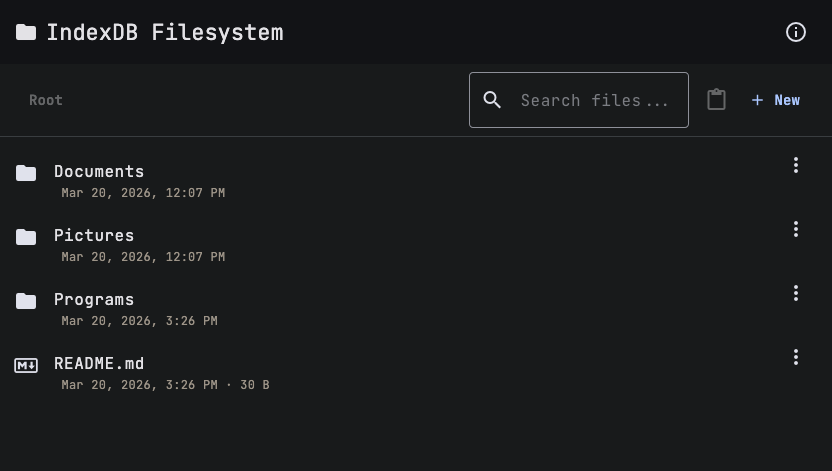
I wanted to explore how far you could push browser-native storage. IndexedDB supports structured data, indexes, and transactions, but its API is low-level and awkward. I thought it would be an interesting challenge to build a filesystem with directories, files, navigation, and a built-in editor on top of it. The result is IndexFS, a fully client-side file management system that runs entirely in the browser with no backend.
How It Works
Materialized Paths
A real filesystem stores its hierarchy as a tree of inodes, directory entries, and pointers. IndexedDB doesn’t give us any of that. It’s a key-value store with indexes and range queries. So IndexFS uses a materialized path pattern: every file and folder is stored as a flat record, and the full path string encodes where it lives in the hierarchy.
interface FileSystemEntry {
  id?: number;
  path: string;
  name: string;
  type: 'file' | 'folder';
  content?: string;
  size: number;
  createdAt: Date;
  modifiedAt: Date;
}
Folders get a trailing slash (/Documents/), files don’t (/Documents/notes.txt). That single convention
is enough to distinguish the two. The IndexedDB object store has a unique index on path, so lookups by
exact path are O(1).
There’s no tree structure in the database. The hierarchy is encoded entirely in path strings, which keeps the storage model simple and lets IndexedDB’s indexed lookups do the heavy lifting.
Consider a filesystem like this:
/
├── Documents/
│   ├── Reports/
│   │   └── q1-report.txt
│   └── notes.txt
├── Pictures/
└── readme.txt
In the database, this is just seven flat rows:
| path | type |
|---|---|
/ | folder |
/Documents/ | folder |
/Documents/Reports/ | folder |
/Documents/Reports/q1-report.txt | file |
/Documents/notes.txt | file |
/Pictures/ | folder |
/readme.txt | file |
Prefix Queries
The materialized path design pays off when listing directory contents. To find everything inside /Documents/,
IndexFS runs a range query using IDBKeyRange.bound():
const range = IDBKeyRange.bound(prefix, prefix + '\uffff');Appending \uffff (the highest Unicode character) as the upper bound captures every path that starts with the
prefix. For /Documents/, this returns /Documents/Reports/, /Documents/Reports/q1-report.txt, and
/Documents/notes.txt.
That gives us all descendants, but a directory listing only needs immediate children. IndexFS filters the results
by depth: it counts the number of path segments and only keeps entries one level deeper than the target directory.
For /Documents/ (depth 1), it keeps entries at depth 2: Reports/ and notes.txt. q1-report.txt at depth 3
gets filtered out.
Cascading Operations
Creating or deleting a single file maps directly to an IndexedDB put or delete call. Folder operations are
where the materialized path design gets interesting.
Renaming /Documents/ to /Docs/ means every descendant path that starts with /Documents/ needs to be updated
too. IndexFS handles this by fetching all entries under the old prefix, doing a string replacement on each path,
and writing them back:
const descendants = await this.db.getByPathPrefix(oldPath);
for (const desc of descendants) {
  desc.path = desc.path.replace(oldPath, newPath);
  await this.db.put(desc);
}
The same pattern applies to moves and copies. A move to a different directory is just a path prefix replacement.
A copy clones all descendants with updated paths, and if a name conflict exists, it appends (copy) to the
name (inserting it before the file extension for files).
Deletes are simpler. Since deleteByPathPrefix() already collects everything under a path, deleting a folder
and all its contents is a single prefix query followed by a batch delete.
Features
File Explorer
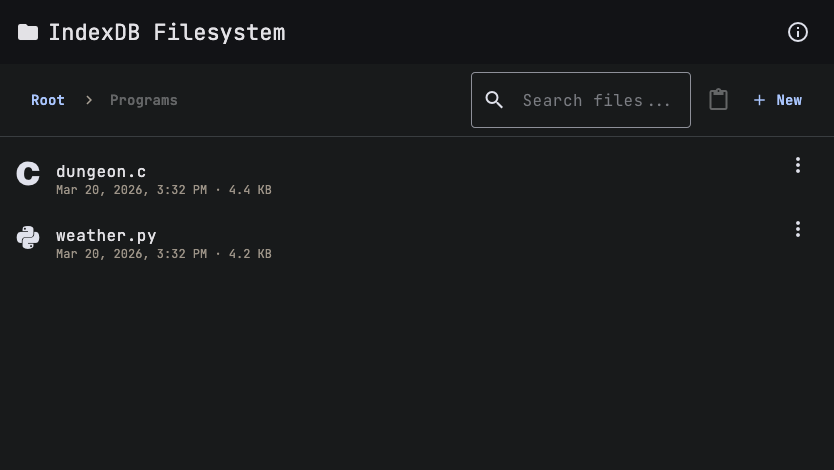
The main interface is a file explorer with breadcrumb navigation, search, and context menus for common operations like rename, copy, cut, and delete.
Navigating into a folder updates the breadcrumb trail and integrates with the browser’s History API, so the back and forward buttons work as expected.
Code Editor
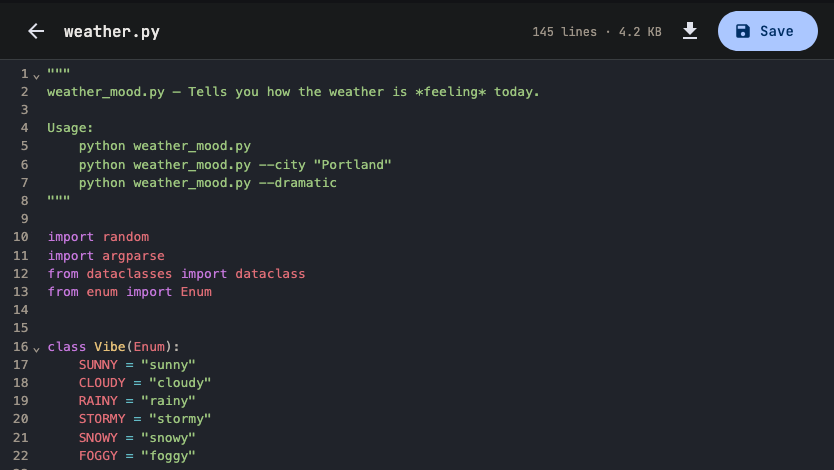
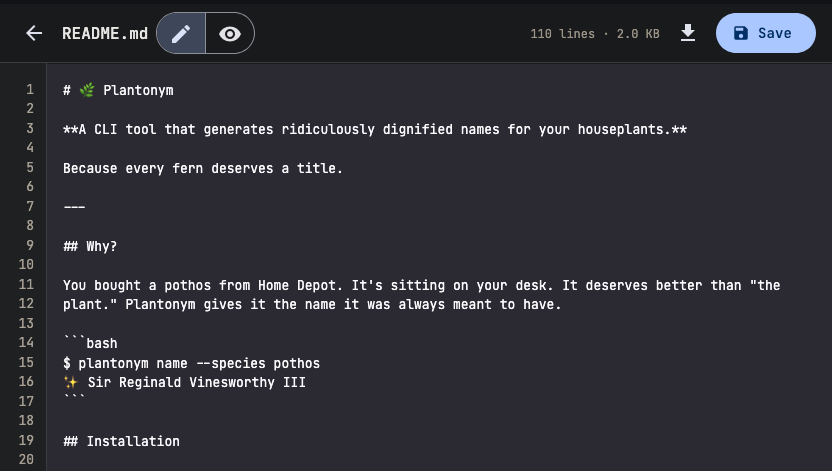
Opening a file launches a CodeMirror-based editor with syntax highlighting for 15+ languages. The editor detects the language from the file extension and applies the appropriate highlighting. It also displays line count and file size, and supports downloading the file.
Markdown Preview
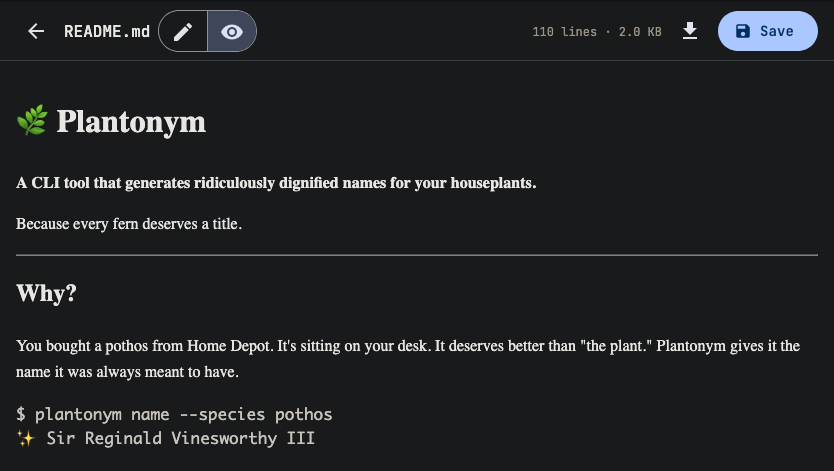
For markdown files, there’s a toggle between an edit mode and a rendered preview powered by the Marked library. This makes it easy to write and preview documentation without leaving the app.
The Tech Stack
IndexFS is built with Angular 21 and Angular Material for the UI. The editor is powered by CodeMirror 6, and markdown rendering uses Marked. File type icons come from Devicons. The entire app is a single-page application with no routing. Navigation state is managed through Angular signals and the History API.
State management leans heavily on Angular’s signals, which made reactive updates straightforward. The filesystem service exposes signals for the current path, directory entries, clipboard state, and the currently open file. UI components simply read these signals and react to changes.
Tradeoffs and Limitations
IndexedDB storage is scoped to the browser origin, so data doesn’t sync across devices or even browsers. Storage quotas vary by browser but are generally generous (50MB+) for a text-based filesystem. Clearing browser data wipes everything, and there’s no cloud backup. These are acceptable tradeoffs for a project focused on exploring what’s possible purely client-side.
Try It
IndexFS is live at index-fs.fun. The source code is on GitHub.